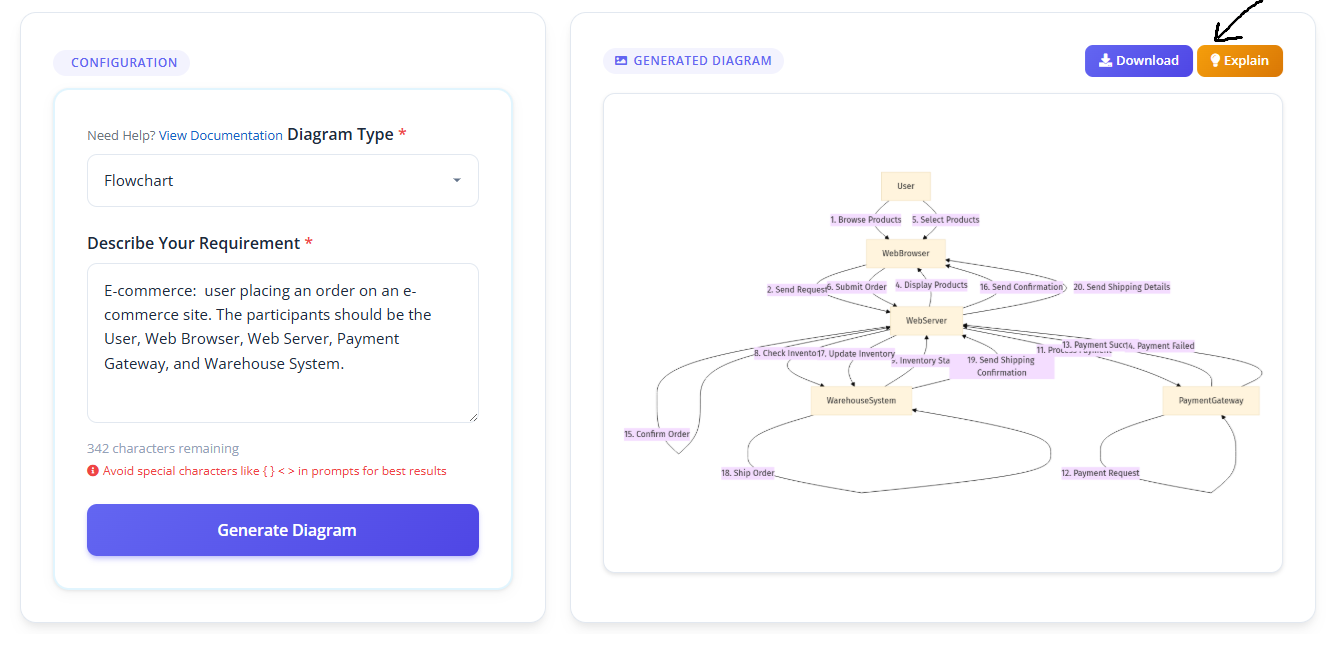
Step-by-Step Guide
Generate Diagrams in 4 Steps
ArchGPT is designed to be simple and intuitive.
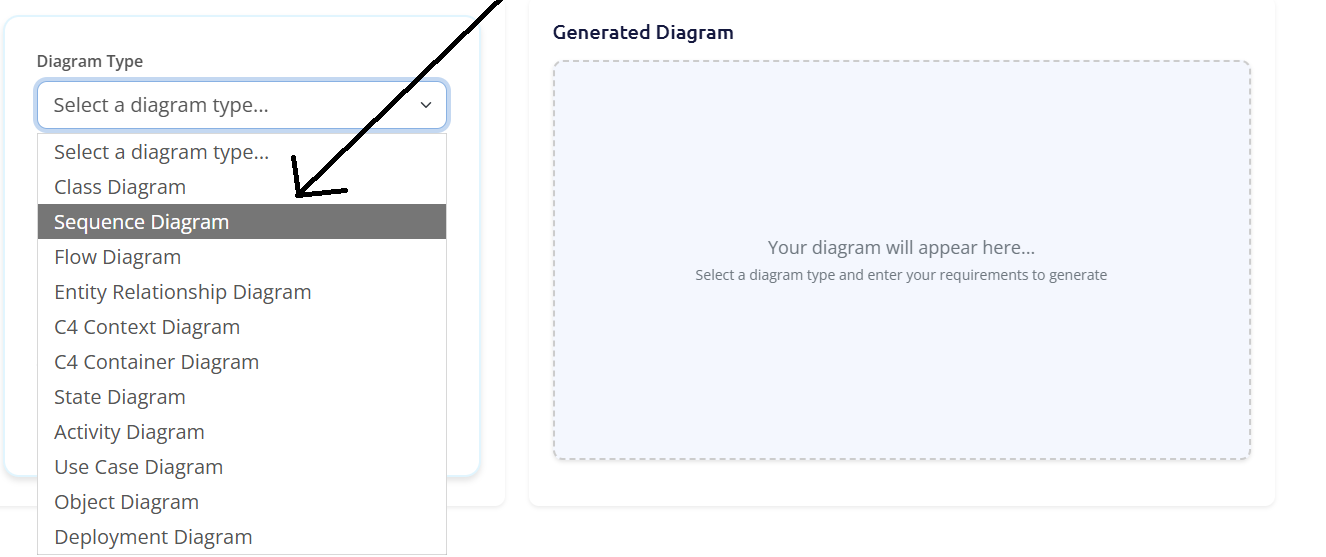
Step 1: Select a Diagram Type
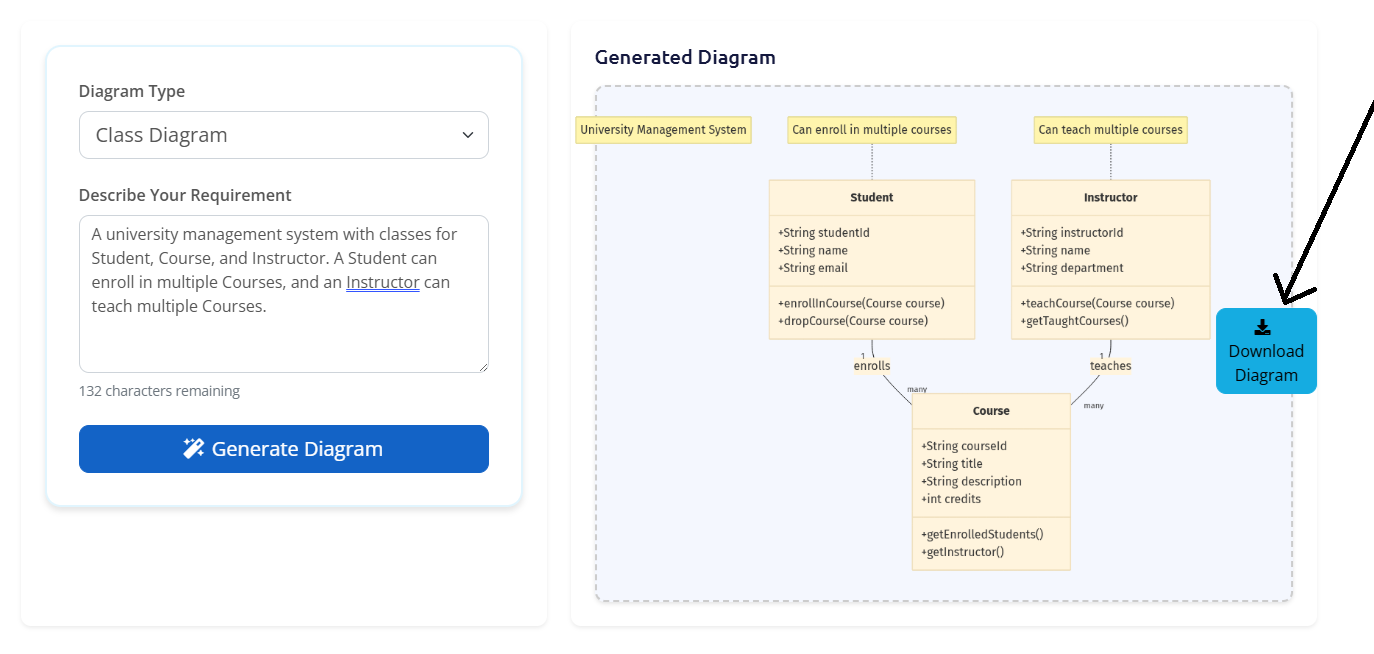
From the generator page, select the diagram type that best fits your needs from the dropdown menu - Class Diagram, Sequence Diagram, Flowchart, and more.
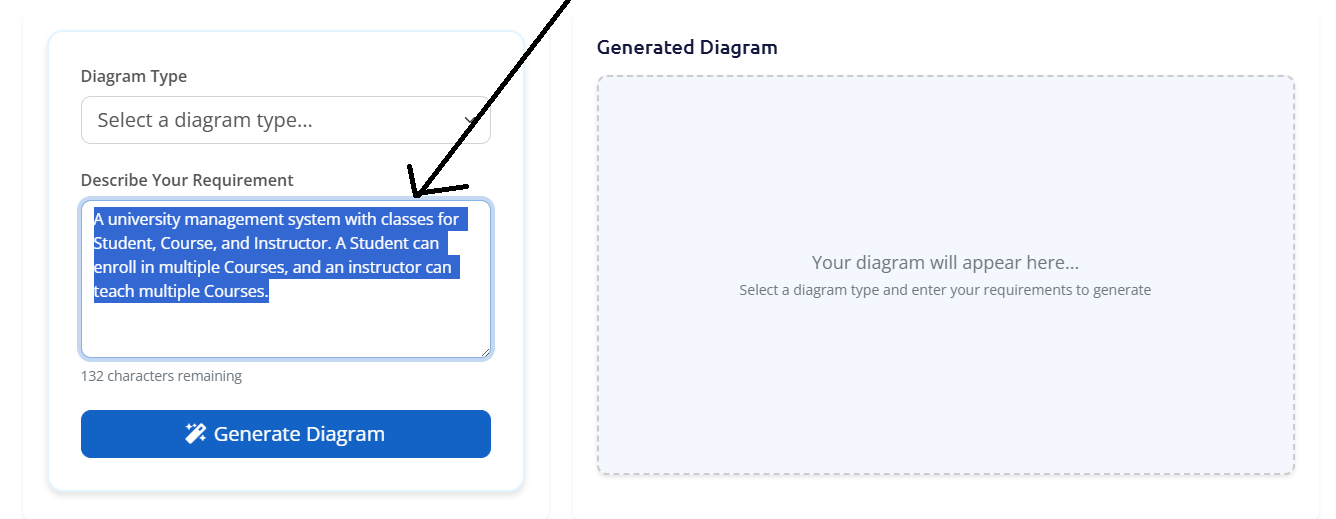
Step 2: Provide a Prompt
In the text area, describe the system or process you want to visualize. Be as specific as you can to get the best results.
Need help? Check out the Sample Prompts section for examples.
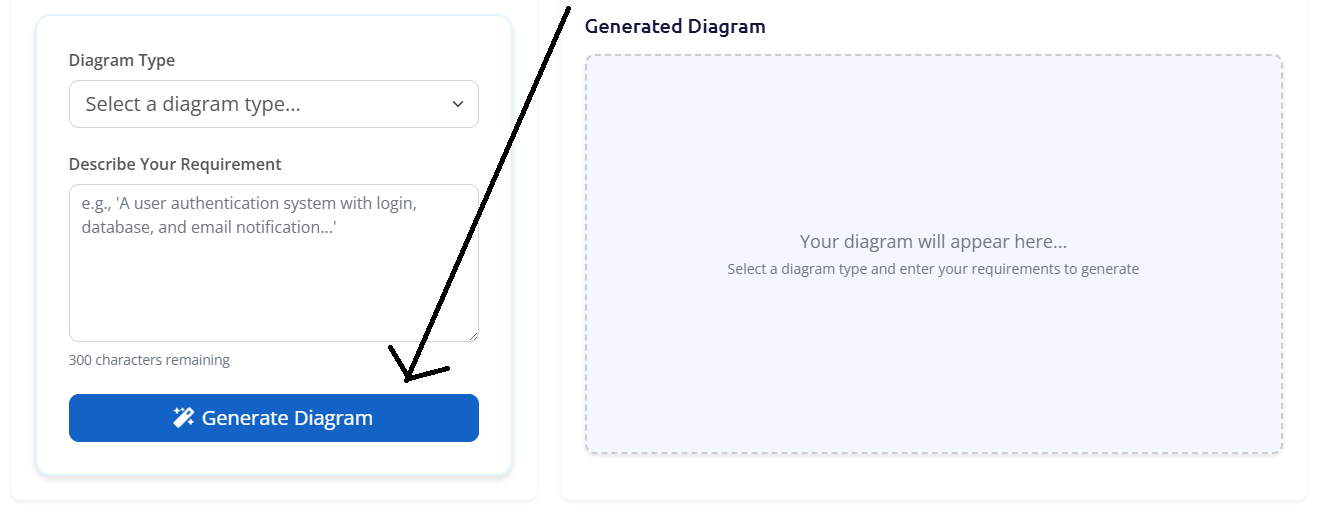
Step 3: Generate the Diagram
Click the "Generate Diagram" button. The AI will process your request and create your diagram within seconds.
Step 4: View and Download
Once generated, your diagram will appear on the screen. Click the "Download" button to save it as PNG, JPEG, SVG, or PDF.
Step 5: Explain Your Diagram
Click the "Explain" button next to Download to get a clear, step-by-step breakdown of your diagram in plain English. Copy the text, or download it as a PDF, DOCX, or plain text file.